For many aspiring content creators, the dream of a professional setup often starts with a question: Do I need expensive gear to succeed? While high-end equipment can enhance your stream, the truth of live streaming gear being worth it depends on your goals, audience, and budget.
For small streamers, a budget streaming setup can be just as effective, especially when optimized for quality, reliability, and consistency. This guide will expand on this topic and help upcoming creators decide whether working with limited funding is worth it for their still-developing careers.
Reality of streaming gear
Expensive microphones, cameras, and capture cards may offer superior audio and video quality, but they often come with a steep price tag. For new streamers, investing in top-tier gear can be a financial risk, especially when your audience is still growing.
The streaming landscape is highly competitive, and success isn't guaranteed by equipment alone. Content quality, personality, and community engagement often matter far more than having the latest and greatest gear.
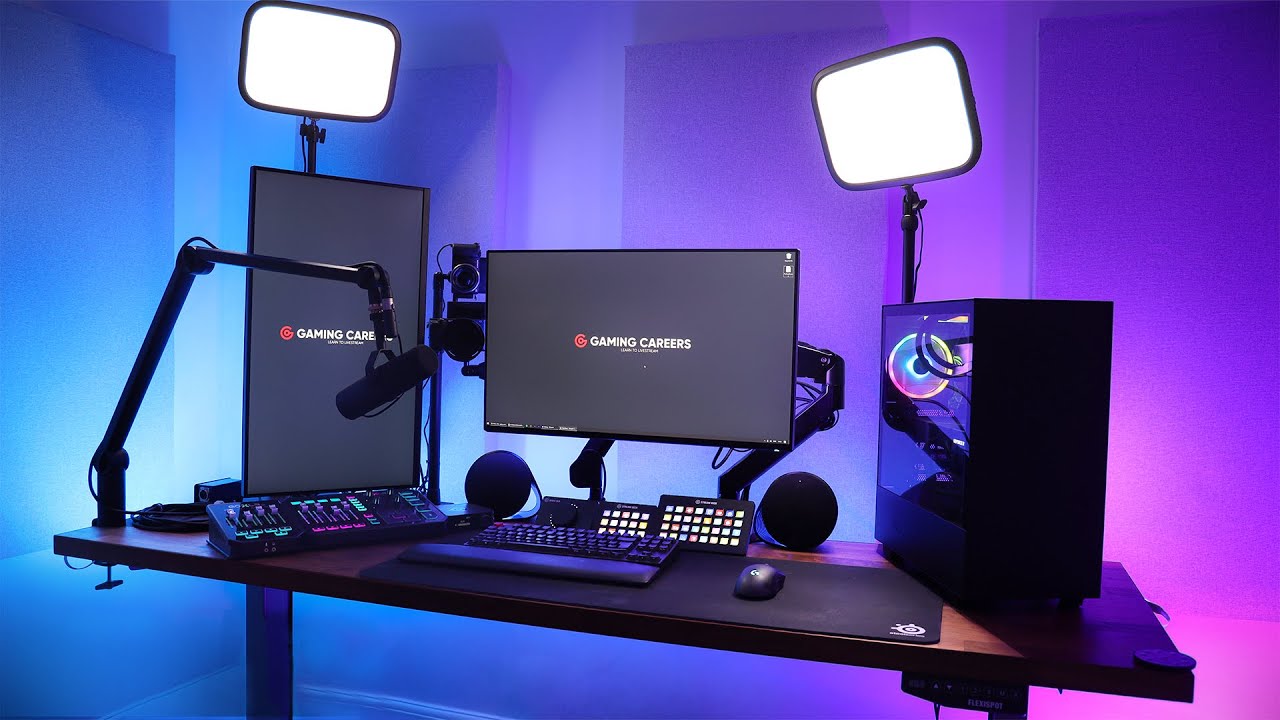
Instead, focus on a budget streaming setup that prioritizes functionality over flash. A decent USB mic, a reliable webcam, and a mid-range PC can deliver excellent results without breaking the bank.
The goal is to create a setup that allows you to stream consistently and comfortably, without the stress of financial strain. Remember, many of today's most successful streamers started with basic equipment and upgraded gradually as their channels grew.
When does expensive gear make sense?
While not essential for beginners, expensive gear can be worth it if you're aiming for a high-end production style or planning to grow into a larger audience. For example, a professional microphone like the Shure SM7B or a high-resolution camera like the Sony A7S III can significantly improve your stream's quality.
These upgrades become particularly valuable when you've established a consistent streaming schedule, built a loyal community, and have a clear monetization strategy in place. Consider upgrading your gear when:
- You're consistently streaming and have built a regular audience
- Your current equipment is limiting your content quality (e.g., poor audio or video)
- You're generating revenue from streaming through subscriptions, donations, or sponsorships
- You have specific production needs that require professional-grade equipment
The key is to upgrade strategically, not impulsively. Assess what's holding back your stream quality and invest in those specific areas first.
Breaking down the budget versus the premium setup
Let's dive deeper into each component of a streaming setup to understand where your money goes and what you actually need:
Microphone: Your audio foundation
Audio quality is arguably the most important aspect of your stream. Viewers will tolerate lower video quality, but poor audio can drive them away quickly. A budget option like the Blue Yeti or the Audio Technica AT2020USB-X ($100 to $170) provides excellent USB connectivity and solid sound quality for beginners. These microphones are plug-and-play, requiring no additional equipment.
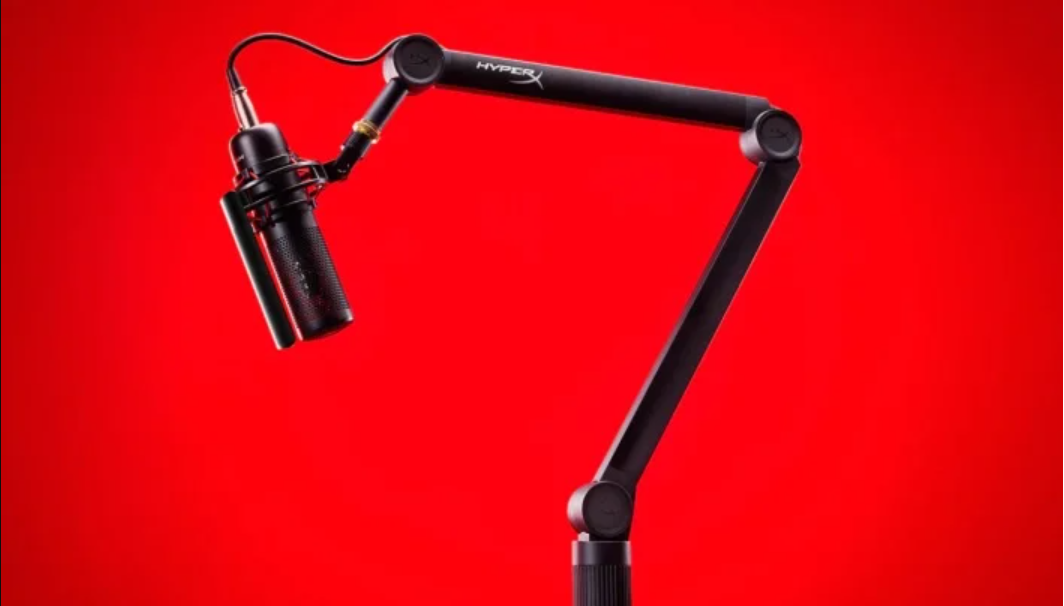
Premium options like the Shure SM7B ($400+) offer broadcast-quality audio but require an audio interface or mixer, adding another $100 to $300 to your setup. While the difference is noticeable, it's not essential for small streamers. Focus on proper microphone placement, pop filters, and noise reduction software before upgrading to premium gear.
Webcam: Showing your face
A webcam helps build a connection with your audience, but you don't need 4K resolution to be engaging. The Logitech C920 ($70 to $100) remains the gold standard for budget streaming, offering 1080p resolution and reliable performance. It's been used by countless successful streamers and continues to deliver great value.
Premium options like DSLR cameras (Sony A7S III at $3,500+) or mirrorless cameras with capture cards offer superior image quality, better low-light performance, and depth of field effects. However, these setups are complex and expensive. For small streamers, the C920 or similar webcams are more than sufficient. Good lighting will improve your webcam quality far more than an expensive camera upgrade.
Capture card: Console streaming
If you're streaming PC games, you may not need a capture card at all. For console streamers, a budget option like the Elgato HD60 X ($180) handles 1080p60fps streaming perfectly. It's reliable, easy to set up, and meets the needs of most platforms.

Premium capture cards like the Elgato 4K60 Pro ($280+) are designed for 4K streaming, but most platforms and viewers don't stream or watch in 4K yet. Unless you're creating high-resolution content for YouTube or have specific production needs, budget capture cards are the smarter choice.
Lighting: The affordable game-changer
Lighting is one area where you can achieve professional results on a budget. A simple ring light or softbox ($30 to $80) can dramatically improve your webcam quality by eliminating shadows and providing even illumination. Proper lighting makes even budget webcams look significantly better.
Premium LED panels like Aputure or Elgato Key Lights ($170 to $300 each) offer adjustable color temperature and brightness, but they're overkill for most small streamers. Start with affordable lighting and focus on positioning — three-point lighting can be achieved with budget equipment.
PC/console: Your streaming engine
Your computer needs to handle both gaming and streaming simultaneously, which requires decent processing power. A mid-tier PC ($800 to $1,200) with a modern CPU (like AMD Ryzen 5 or Intel i5) and GPU (like NVIDIA RTX 3060) can stream most games at 1080p without issues.
High-end PCs ($2,000+) with top-tier components offer better performance and future-proofing, but they're not necessary for starting out. Optimize your streaming software settings, use hardware encoding (NVENC for NVIDIA cards), and close unnecessary background applications to maximize performance.
Software: Free versus paid
OBS Studio is completely free and incredibly powerful. It's used by professional streamers and offers extensive customization. For beginners, it's the perfect starting point. Paid alternatives like Streamlabs Ultra or vMix offer additional features and support, but they're not necessary until you have specific advanced needs.
Budget streaming setup vs premium gear: Complete comparison for small streamers
| Feature
| Budget Streaming Setup
| Premium Streaming Setup
| Worth It for Small Streamers?
|
|---|---|---|---|
| Microphone
| Blue Yeti (USB) or Audio-Technica AT2020USB-X
| Shure SM7B or Rode NT1
| Not essential initially, but it improves audio quality
|
| Webcam
| Logitech C920 (1080p)
| Sony A7S III (4K) or Elgato Cam Link 4K
| Good enough for most, but higher-end offers better low-light performance
|
| Capture Card
| Elgato HD60 X (1080p)
| Elgato 4K60 Pro X (4K)
| Overkill unless streaming in 4K or using high-end consoles
|
| Lighting
| Ring light or softbox (e.g., Neewer)
| Professional LED panels (e.g., Aputure)
| Budget lighting is sufficient for most streams
|
| PC/console
| Mid-tier PC or gaming console
| High-end PC with dedicated GPU and CPU
| Not always necessary — optimize software instead
|
| Software
| OBS Studio (free)
| Streamlabs OBS or vMix (paid)
| Free tools are powerful enough for beginners
|
| Total Cost
| $300 to $600
| $1,500+
| Most small streamers can start with under $600
|
Power of a smart budget setup
Many successful streamers started with simple setups. A well-placed ring light, a basic capture card, and software like OBS can create a polished stream without a hefty price tag. The key is to optimize what you already have — adjust lighting, use noise-reducing software, and ensure your internet connection is stable.
Focus on these fundamentals:
- Stable internet connection (at least 10 mbps upload speed)
- Consistent streaming schedule to build your audience
- Engaging personality and content that keeps viewers coming back
- Community interaction through chat and social media
These elements cost nothing but time and effort, yet they're far more valuable than expensive equipment.
Final thoughts
For small streamers, livestreaming gear worth it is less about price and more about performance. A budget streaming setup can be just as effective — if not more so — than an expensive one, especially when you focus on consistency, engagement, and quality content. Start with what you can afford, invest in good audio first, and upgrade strategically as your channel grows and generates revenue.
Remember: your audience is tuning in for you — your personality, gameplay, and community — not your equipment. Build your foundation with budget gear, perfect your craft, and let your success fund future upgrades.
Header image via Logitech

Esports is a journey where winning is not as important as enjoying the game!
Subscribe to our newsletter.
Latest streaming statistics and analytics news in weekly format!
Subscribe